

I highly recommend you set this up on any iPhone or iPad you plan to give a young child. Ideally you should co-consume or create content together, but we know that’s not always possible. If that’s the case, set this up before you hand over the device. You can switch out Assistive Access by triple clicking the power button and adding the passcode you set up. Next week will be instructions for an Android device.
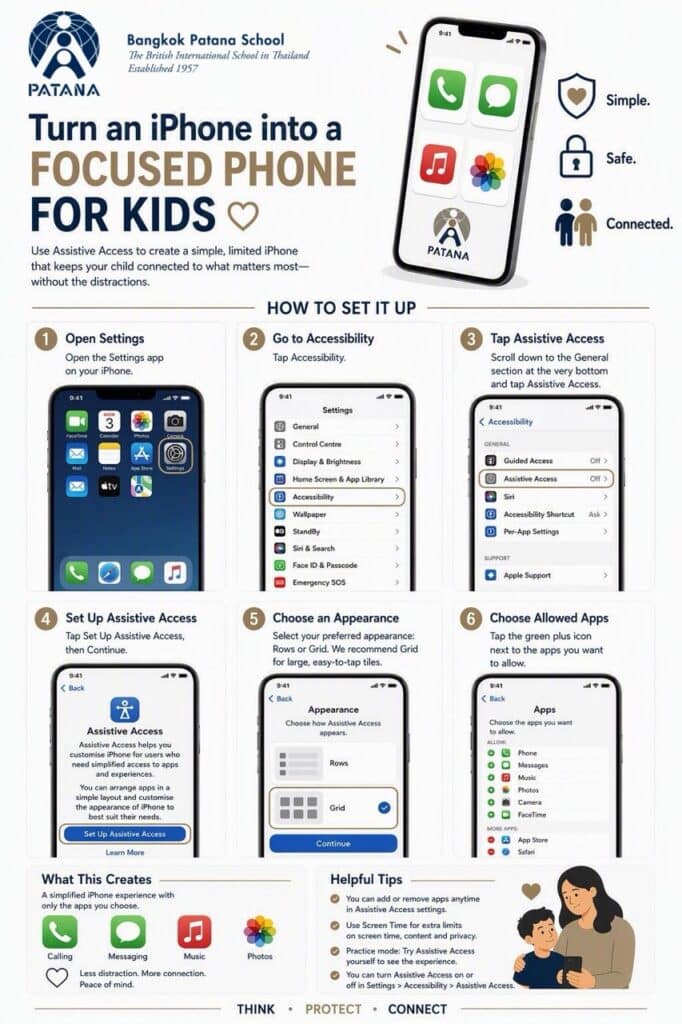
Click here to enlarge the image
Have a great weekend.
Brian Taylor
Vice Principal, Technology for Learning